A personal CRM

Your network is bigger than your memory.

Contacts, notes and email in one private place, and an assistant that notifies you of anything that needs your attention.

No credit card. $14.99 a month after the trial  ·  iPhone, iPad, Android and the web

app.savvyy.com
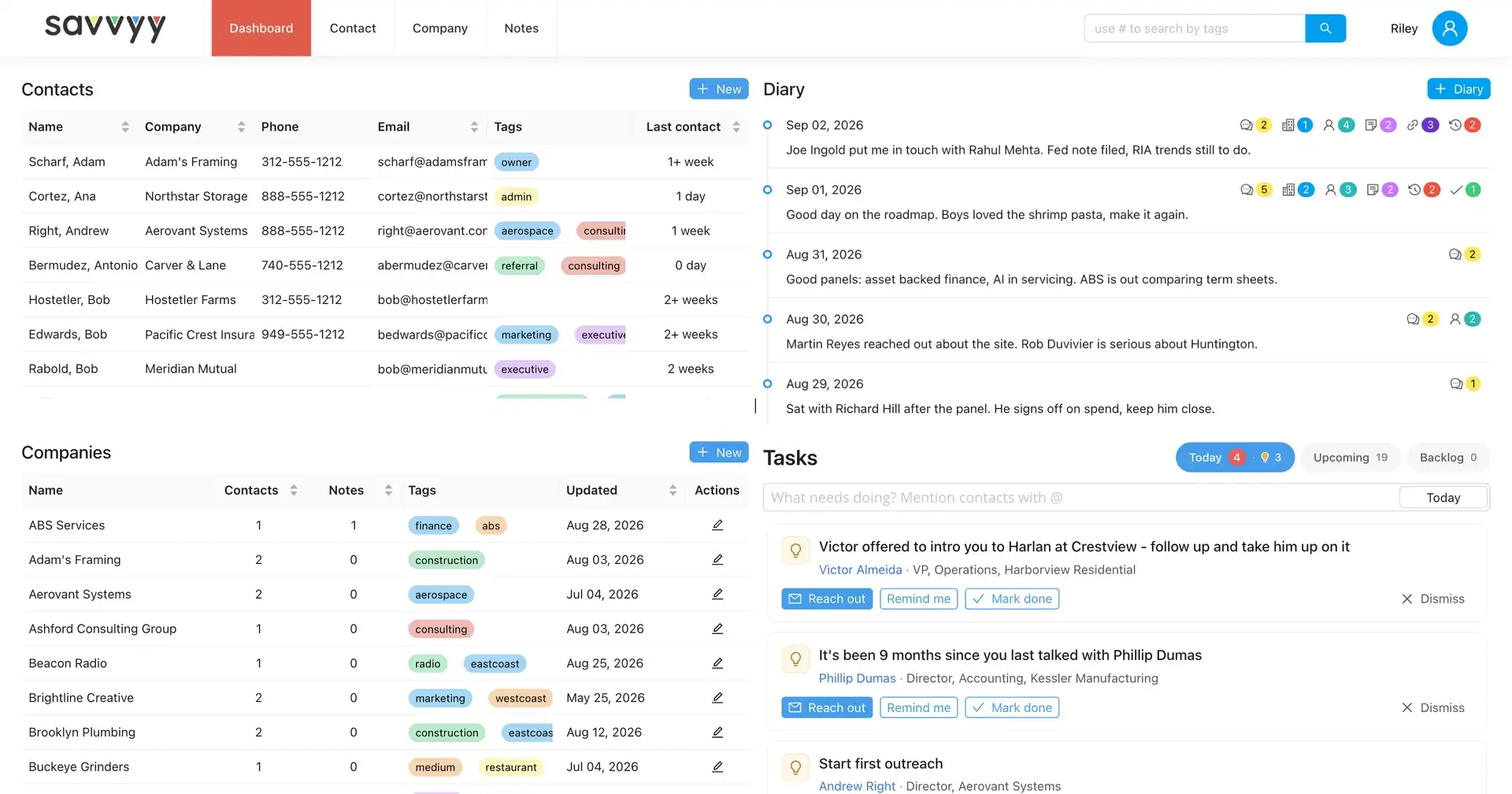
The Savvyy dashboard: contacts and companies on the left, the diary and the day's tasks and suggestions on the right
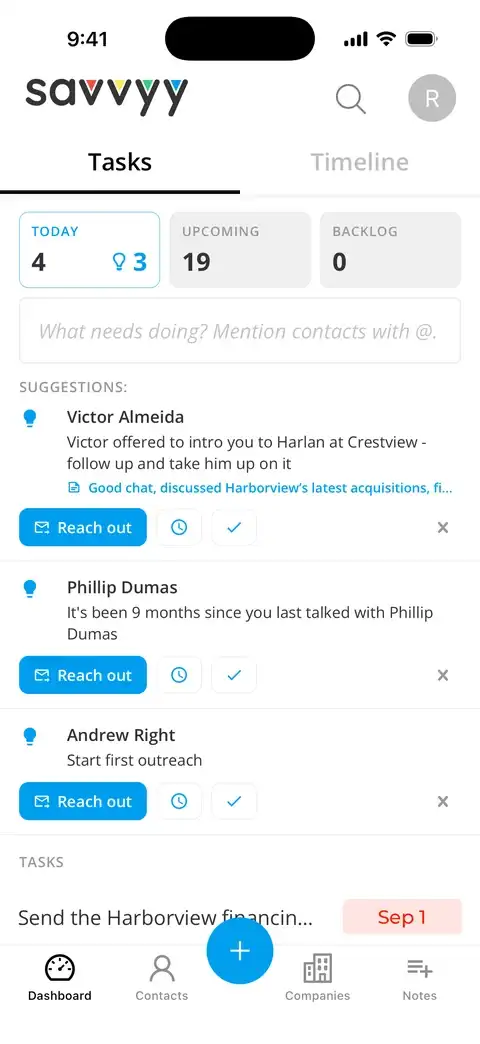
Savvyy on iPhone: today's suggestions, each naming the person it concerns
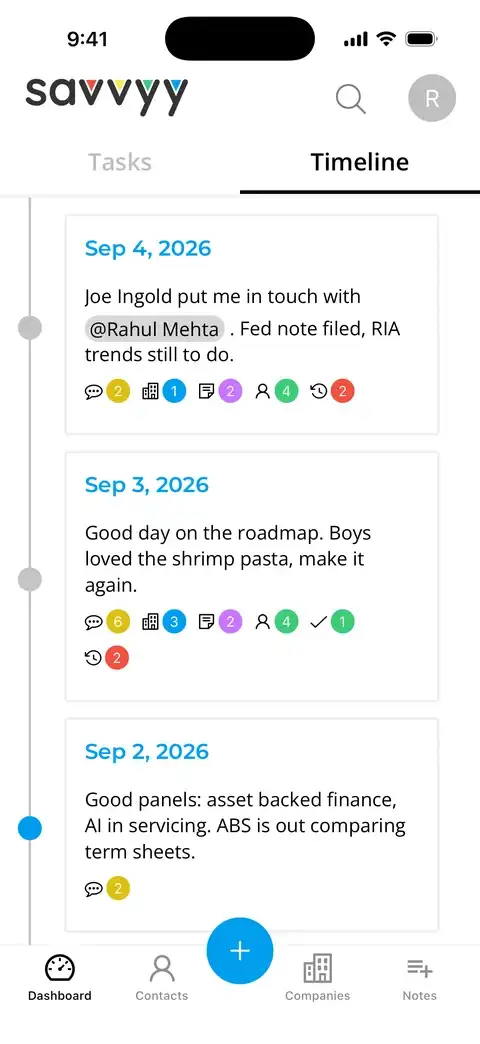
The Timeline on iPhone: a card for each day, naming the people who were part of it

Why this exists

Relationships go quiet without warning.

Nothing on your calendar says a good contact has gone six months without a word. The note you took after coffee stays where you left it, and the follow-up you intended waits for the day you happen to read it again.

  • You meet people.
  • You promise to follow up.
  • The week fills up.
  • The connection goes cold.

Savvyy remembers

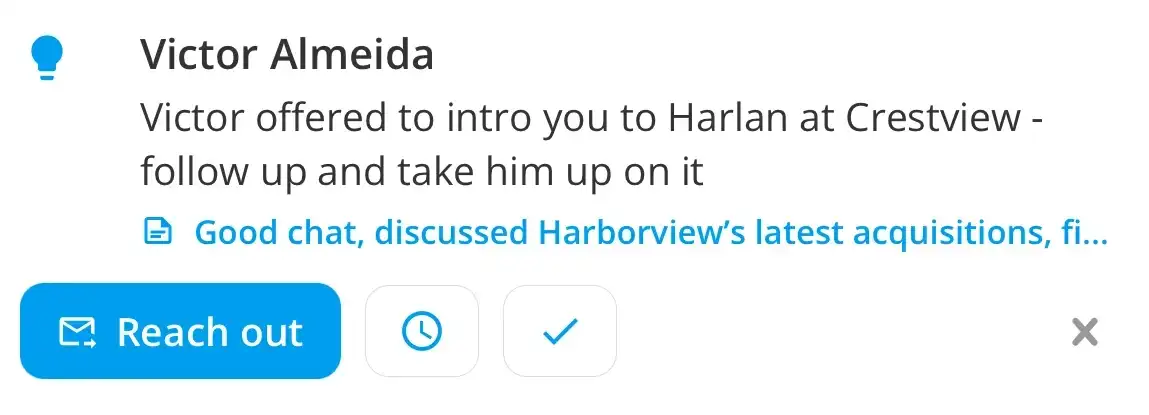
A Savvyy suggestion: Victor offered to intro you to Harlan at Crestview, follow up and take him up on it. Underneath, the note it was drawn from, and the buttons to reach out, be reminded later, or mark it done.

The assistant notices what you may forget.

It reads your notes and your correspondence as they come in. When something is actionable or time-sensitive, it prompts you, with the source and the next step. Reach out, ask to be reminded later, or mark it done.

How it works

Connect it once. It keeps up from there.

01

Connect

Your address book and your inbox, synced in minutes and kept current from then on.

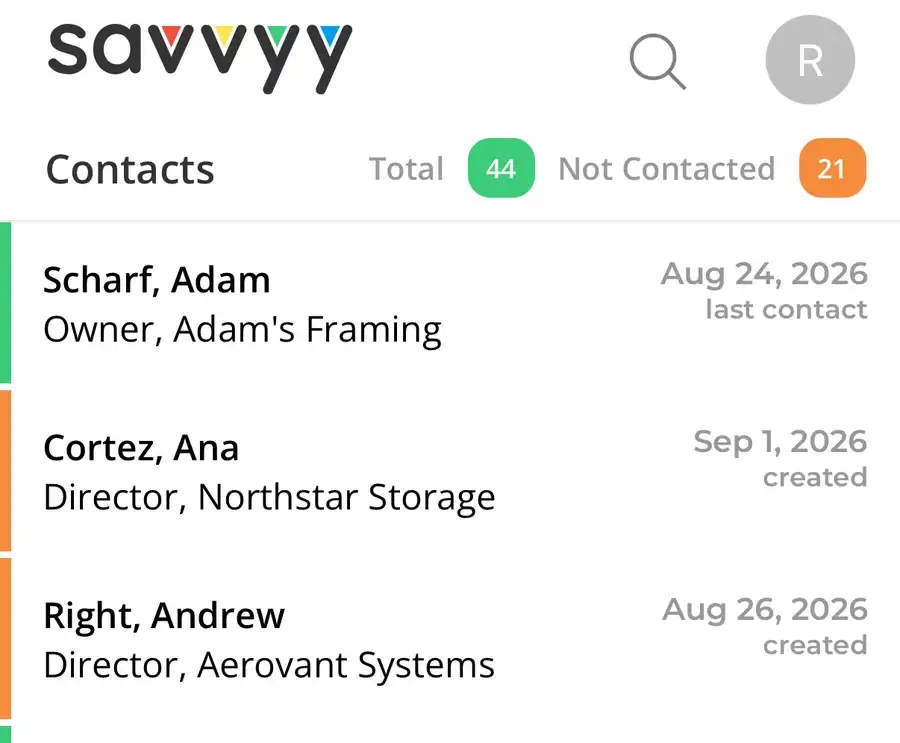
The Savvyy contact list on iPhone, showing when each person was last contacted
  • Google
  • Outlook
  • Your phone
  • LinkedIn export
  • Spreadsheet

02

Remember

Every note, call, meeting and email about a person is kept together, so the full context of the relationship is in one place.

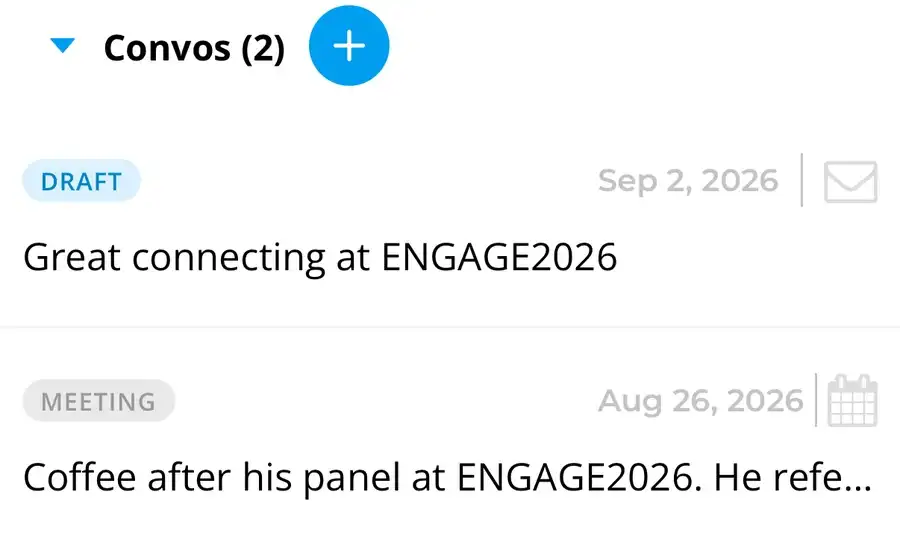
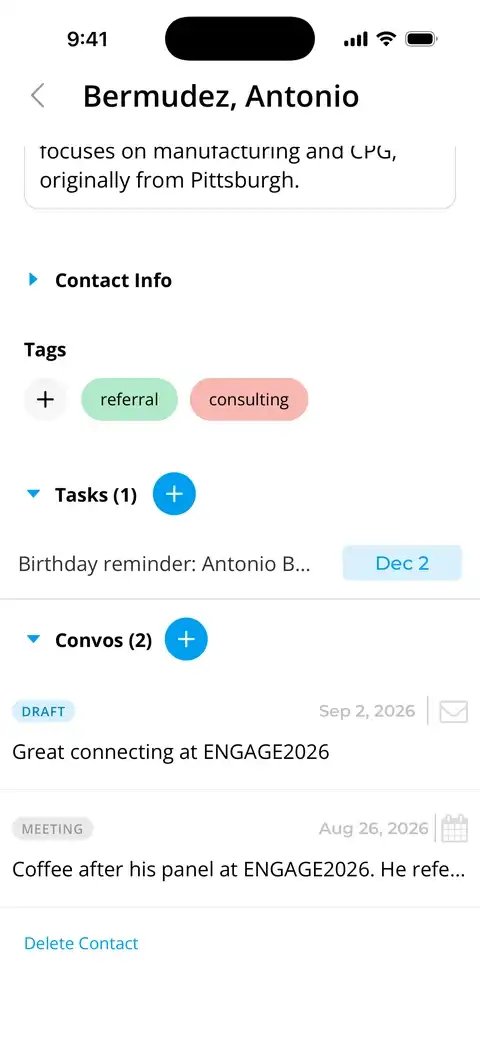
Tasks and conversations on a contact's record: a draft email and a logged meeting
  • Conversations
  • Notes
  • Email
  • Tags

03

Act

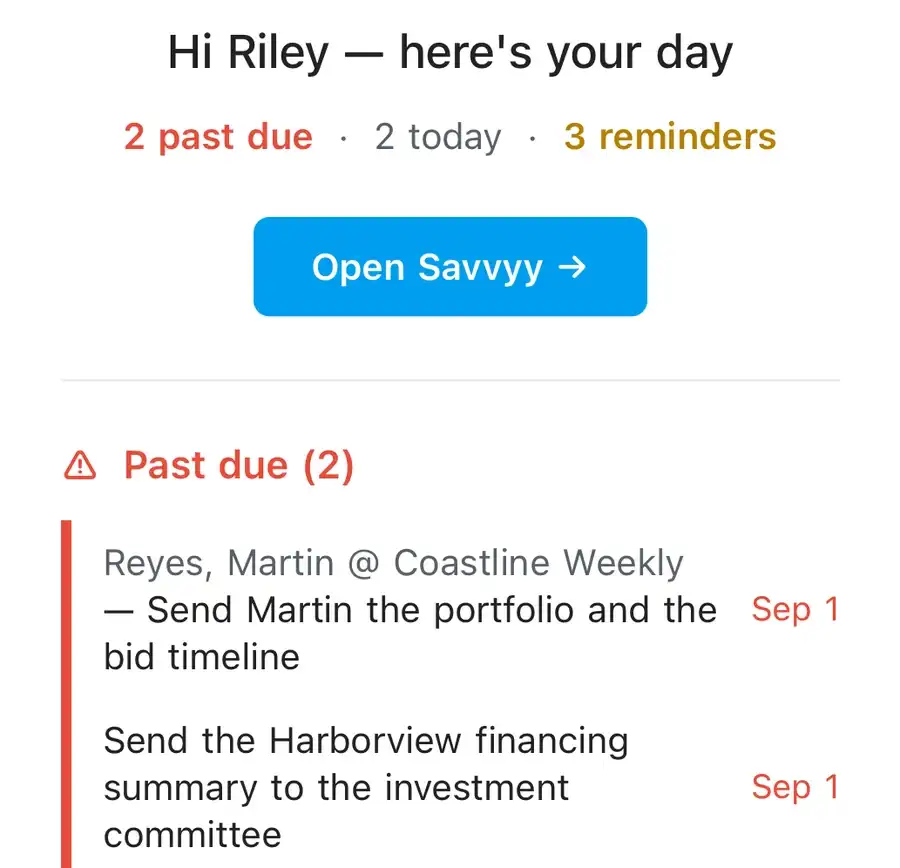
A short list of what deserves your attention today, in the app and in your inbox at 6 a.m.

The morning digest on a phone: two past due, two today, three reminders, and the past-due items named
  • Follow-ups
  • Reminders
  • Tasks
  • Morning digest

One person

Everything about a contact, on one screen.

  • Where they work and what they do
  • How you met, and what you have talked about since
  • Every conversation and email, each with its date
  • The follow-ups you have set, each with its due date
  • The tags you have given them

Open it before a call, and you know exactly where the two of you left off.

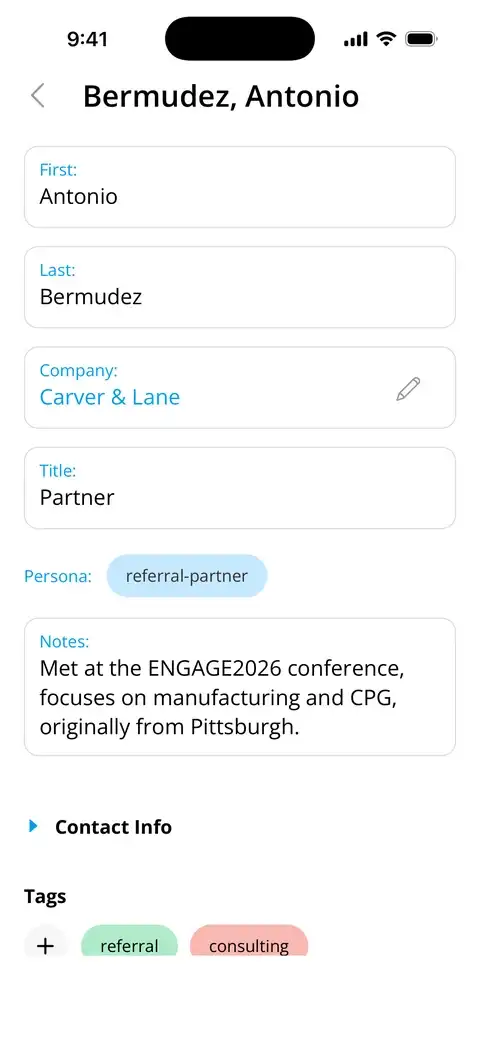
The top of a contact's record on iPhone: company, title, persona and the note about how you met
The rest of the same record: tags, a reminder, and two logged conversations

Your network

People you know. Companies you are interested in.

Notes from coffee, news of an acquisition: both have a home in Savvyy.

PeopleEveryone you know, and how long since you last spoke.
CompaniesYour research, your notes and everyone you know there.
TagsOrganize people and companies with your own tags, #client, #referral, #alumni, and search by tag to find them again.
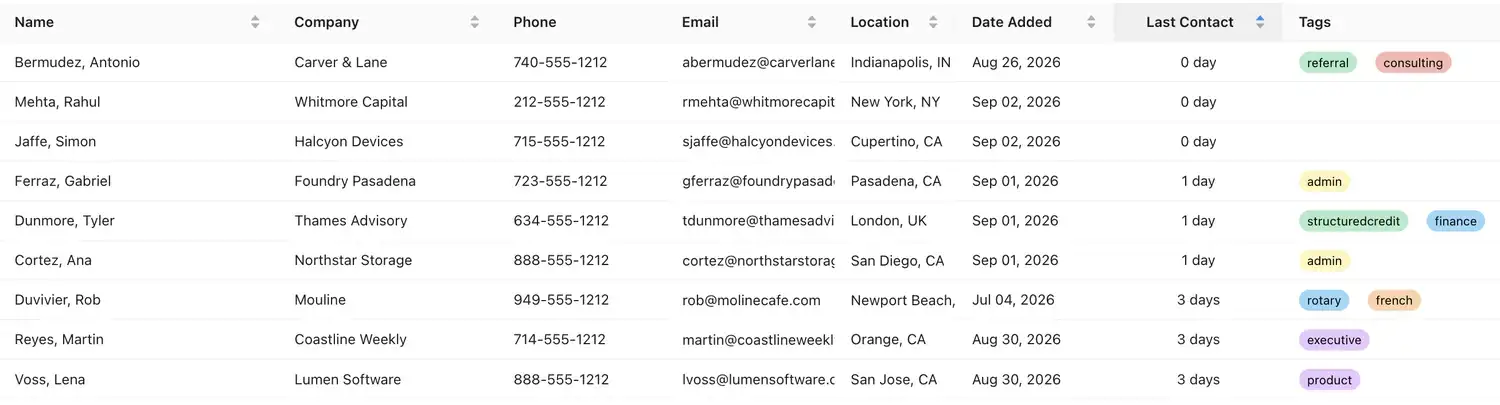
The contacts table: name, company, location, when they were added and when you last spoke, with tags
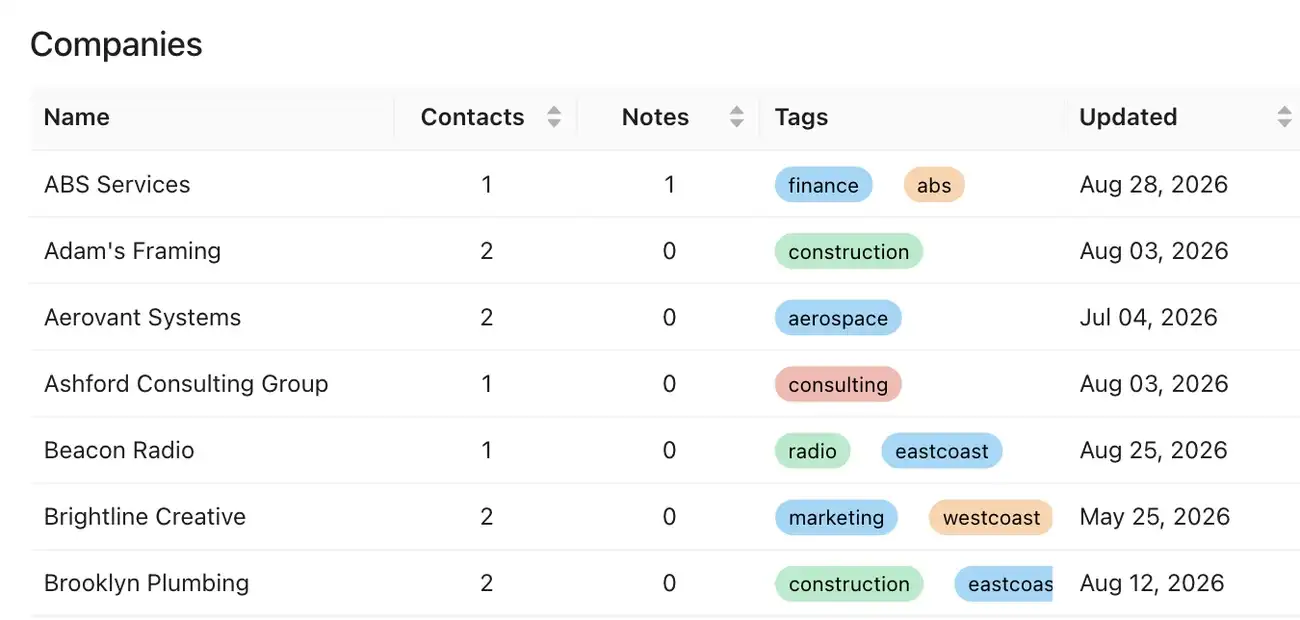
The companies list: how many contacts and notes belong to each, its tags and when it was last updated
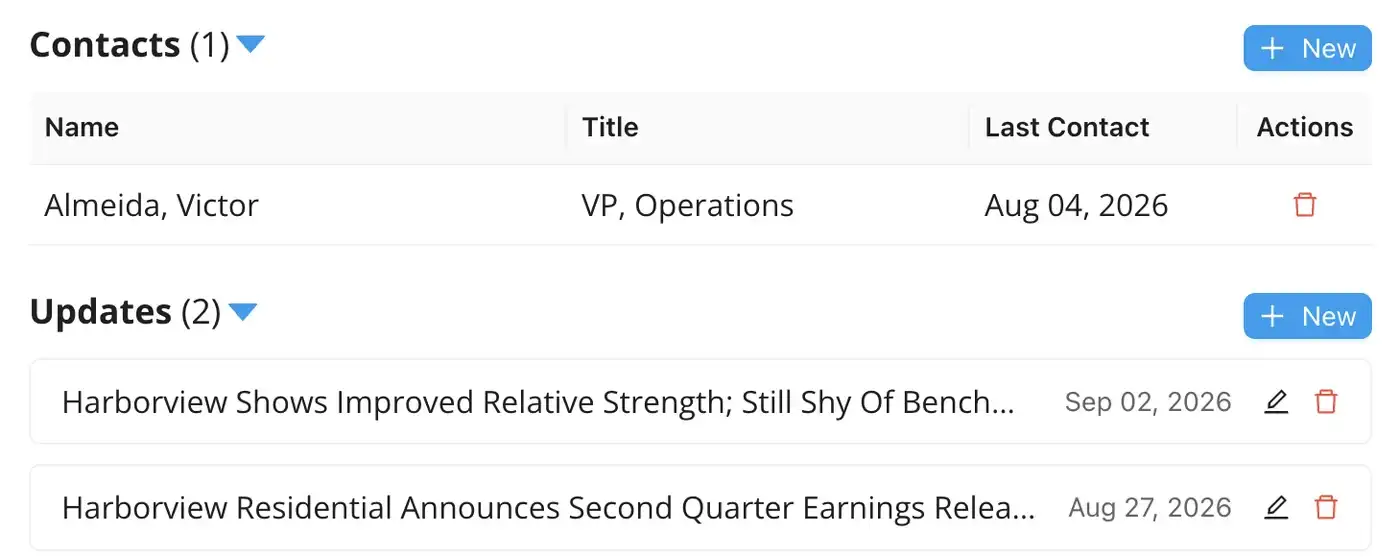
One company's record, Harborview Residential: the contact you know there and two dated updates about the firm

Harborview Residential's record: the one person you know there, and two dated updates.

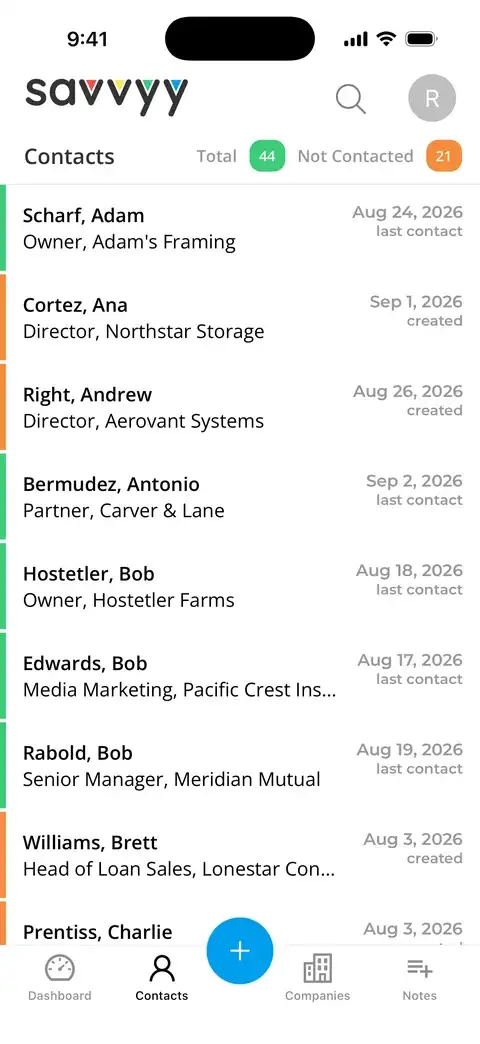
The contact list on iPhone, with the date each person was last contacted
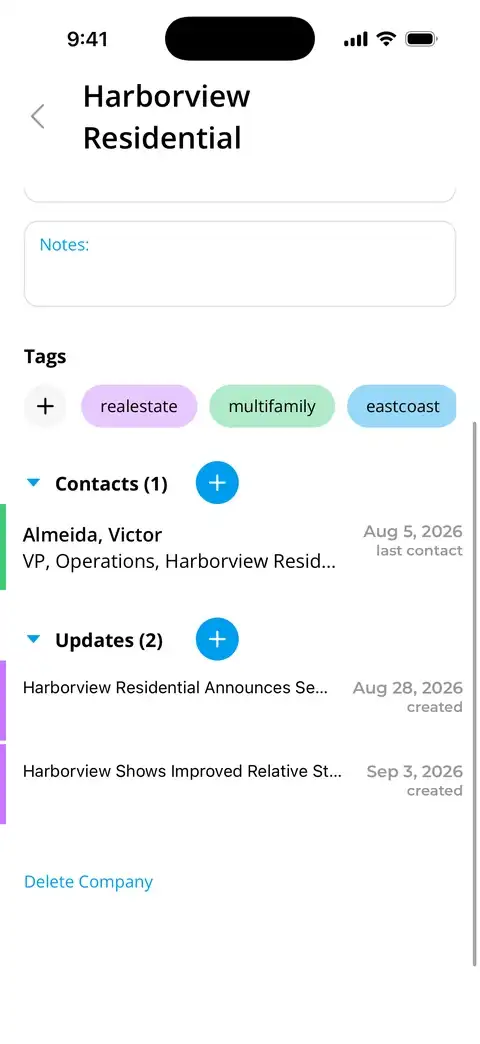
Harborview Residential's record on iPhone: its tags, the one contact you know there, and two dated updates about the firm

Harborview Residential on the phone: the one person you know there, and two dated updates.

Email

Write with everything you know in front of you.

Connect Gmail or Outlook and send from inside Savvyy. Draft emails with the full context of the relationship at your fingertips: your notes and your prior correspondence, right there. The assistant can draft the message for you, or take what you have written and make it better.

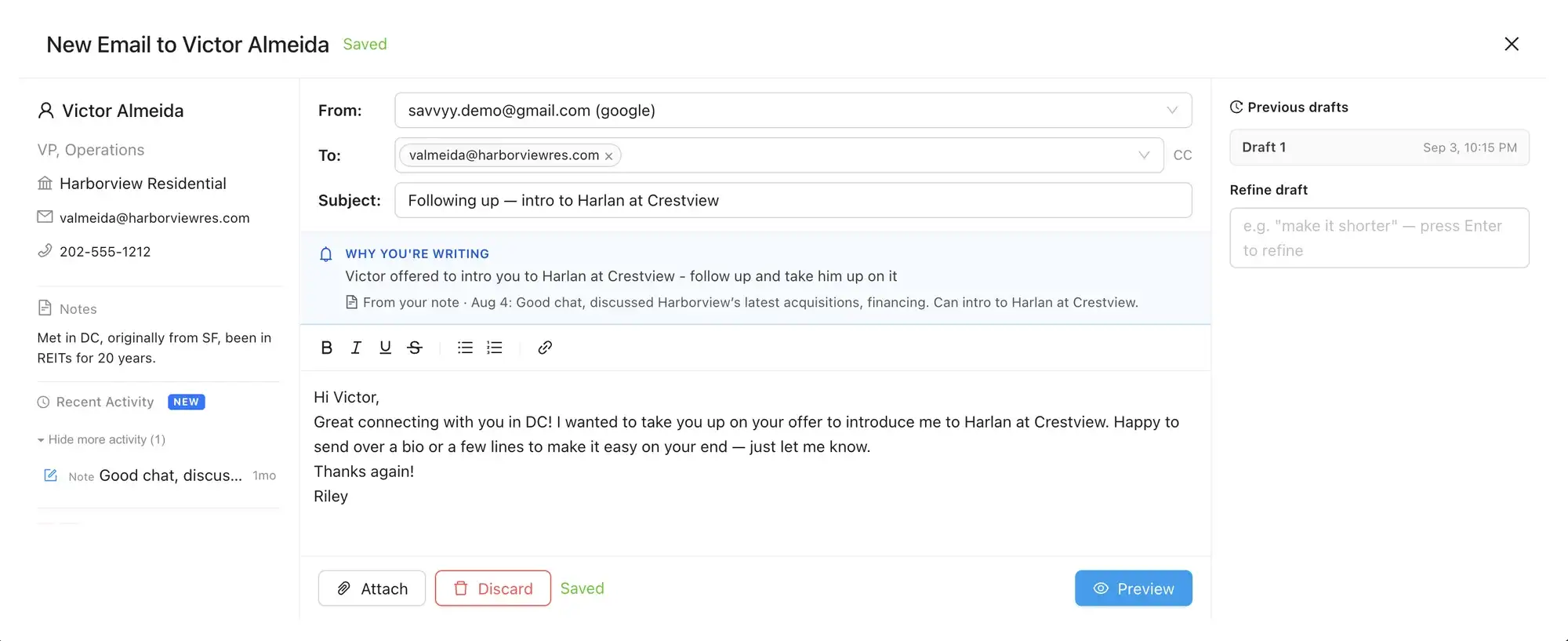
  • The reason, at the topThe suggestion that prompted the email, and where it came from.
  • The context, beside itYour notes on the person and any recent correspondence.
  • A draft, then a better oneTell the assistant what you need and it drafts the message. Or write something yourself and let it finish. Every version is kept, so you can always go back.
  • Save now, send laterSave a draft and send it when you are ready. Every email sits with your notes, tags and contact details for that person.
A new email to Victor Almeida in Savvyy: his notes and recent activity on the left, why you are writing across the top with the note it came from, the drafted message, a saved earlier draft, and a box to refine the draft
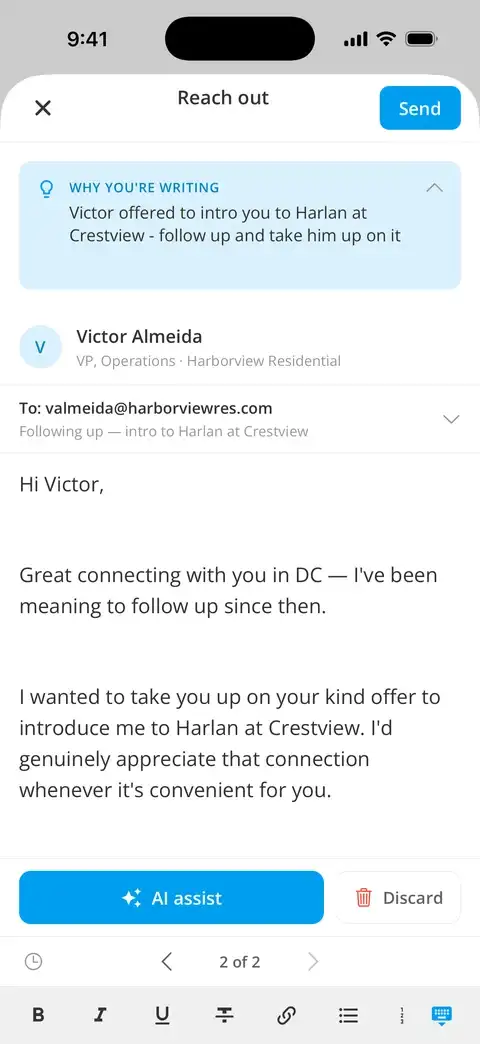
Writing to Victor Almeida on iPhone: why you are writing at the top, his name and company, and the assistant's draft of the email beneath

Diary

A line about the day helps you reflect and stay focused.

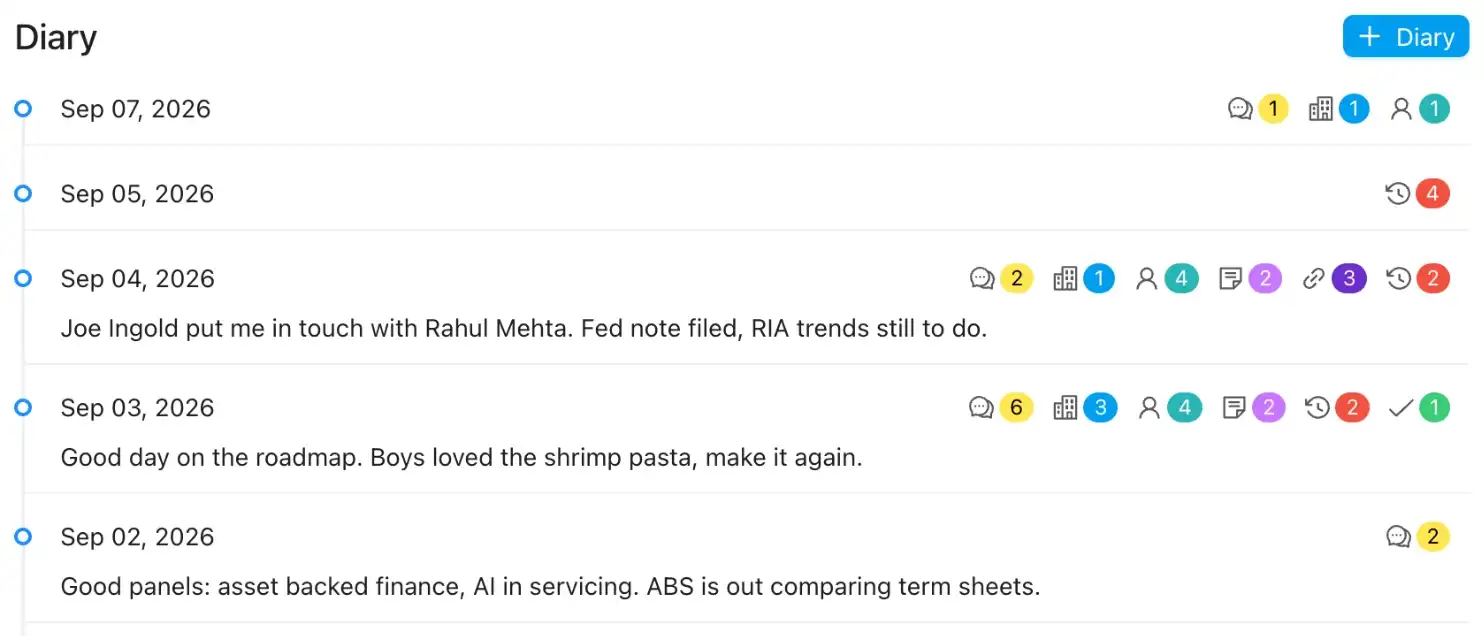
The Diary panel on the web: a row for each day with badges for the conversations, companies, notes and people it touched, and a sentence where one was written, most recently September 4
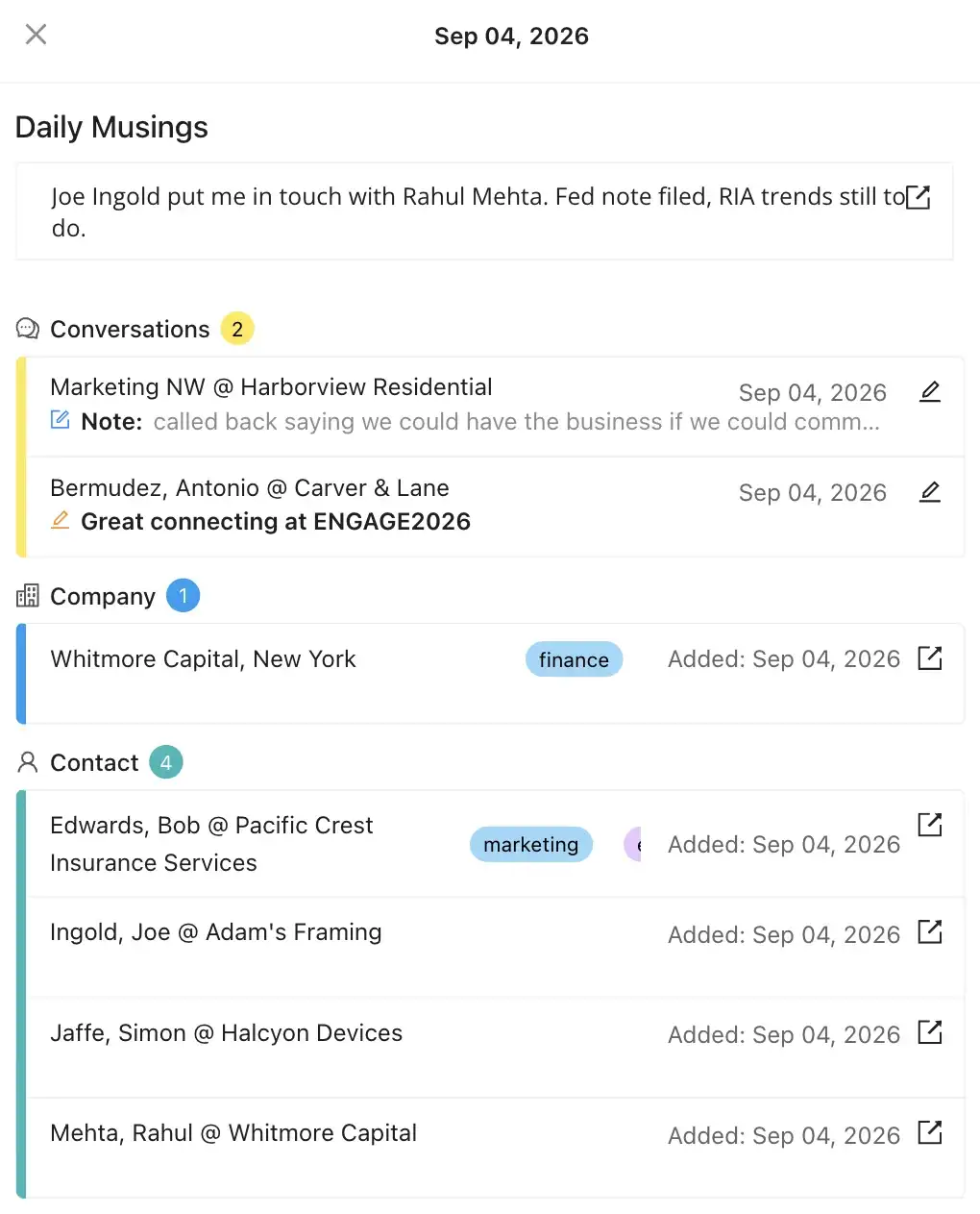
September 4 opened on the web: the diary line, then that day's two conversations, one company and four contacts, each dated
The Timeline on iPhone: a card for each day, naming the people who were part of it
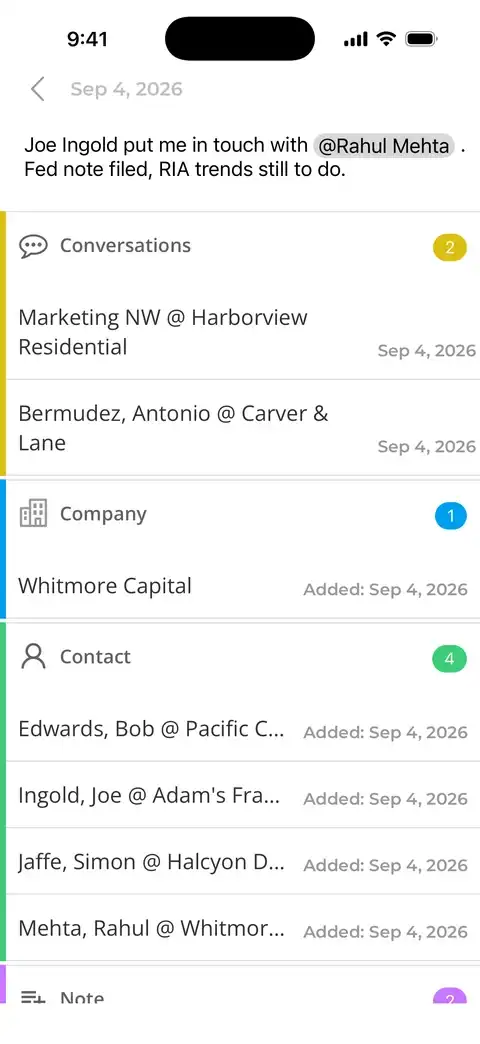
One day opened, September 4: the diary line, then the two conversations, the company and the four contacts from that day

End the day with a line or two, and it sits alongside everything Savvyy recorded that day, so you can look back and see what happened when. Mention anyone with an @ and it links to that person's record.

The whole product

Everything you need to keep up with people.

Contacts & companies

Synced from Google, Outlook and your phone. LinkedIn exports and spreadsheets can be imported in the web app.

AI assistant

Knows your interactions, surfaces anything that needs your attention and helps you draft emails.

Email

Send and receive without leaving the app. Every message becomes part of everything else you know about the person.

Notes & conversations

Dated, tagged, searchable. A private home for anything you want to record about people or companies.

Follow-ups

Today, upcoming and backlog, plus a nudge when a good contact has gone quiet for months.

Tags

Client, referral, alumni, conference: however you group people. Search by any combination of tags and keywords and the right people come up at once.

Card & QR scanner

Scan a business card or a LinkedIn QR code and the contact is in before you have left the room.

Morning digest

One email at 6 a.m. your time: what slipped, what is due today, and the assistant's suggestions for the day.
The category

Not another CRM.

Built for your relationships, not for your sales team.

Traditional CRM

  • Teams
  • Pipelines
  • Leads
  • Follow-ups you enter yourself
  • Workflows to configure
  • Data the company owns

Savvyy

  • You
  • Relationships
  • People
  • Follow-ups drawn from what you wrote
  • One screen of context
  • Your network, exportable any time

From signup to second nature

Here's what happens after you sign up.

Your contacts arrive

Connect Google, Outlook or your phone and the address book loads in minutes and stays synced. Upload more through the web app (spreadsheets, a LinkedIn export).

The assistant starts reading

It watches your notes and correspondence and begins showing you anything that needs your attention. You decide what to do.

It becomes the routine

The digest in the morning, tasks between meetings, notes as you go. After a week you stop thinking about it.

One plan

Start with seven free days.

No tiers, no seats, no sales call.

Savvyy

$14.99

per month, after 7 days free. No credit card to start.

Start free for 7 days
  • No credit card until you decide to stay
  • iPhone, iPad, Android and the web, all included
  • Unlimited contacts, notes, tags and reminders
  • The AI assistant and the morning digest

Your data

Private, and yours to take with you.

Nothing you keep in Savvyy is sold or monetized, and all of it can be exported whenever you like. Read the privacy policy

Never lose track of who matters.

Connect the contacts you already have.
A week is enough to see the difference.

7 days free  ·  $14.99 a month afterwards  ·  No credit card to start